Permissions
For proper functioning of permissions, you need a system plugin, for example Jimbo.
Permission Sections
Sections or permission sections are an abstraction used for grouping logic tied to a section that has three access gradations: Read, Write, Execute.
A section should only have an identifier, and using this identifier, you can check whether a user has access to the section. For example, you can create a users section and check for access to the users section in all places related to users.
All plugins have a method hasUserPermissionToSection(string $sectionName, ?DefaultUser $user = null): bool. If the method returns true, then the user has access to this section.
You can create a permission section via the link: /festi/festi_sections/Jimbo/ or directly in the database, in the festi_sections table. You can distribute permissions for different types of users or specific users in the same section or in tables: festi_sections_user_permission, festi_sections_user_types_permission
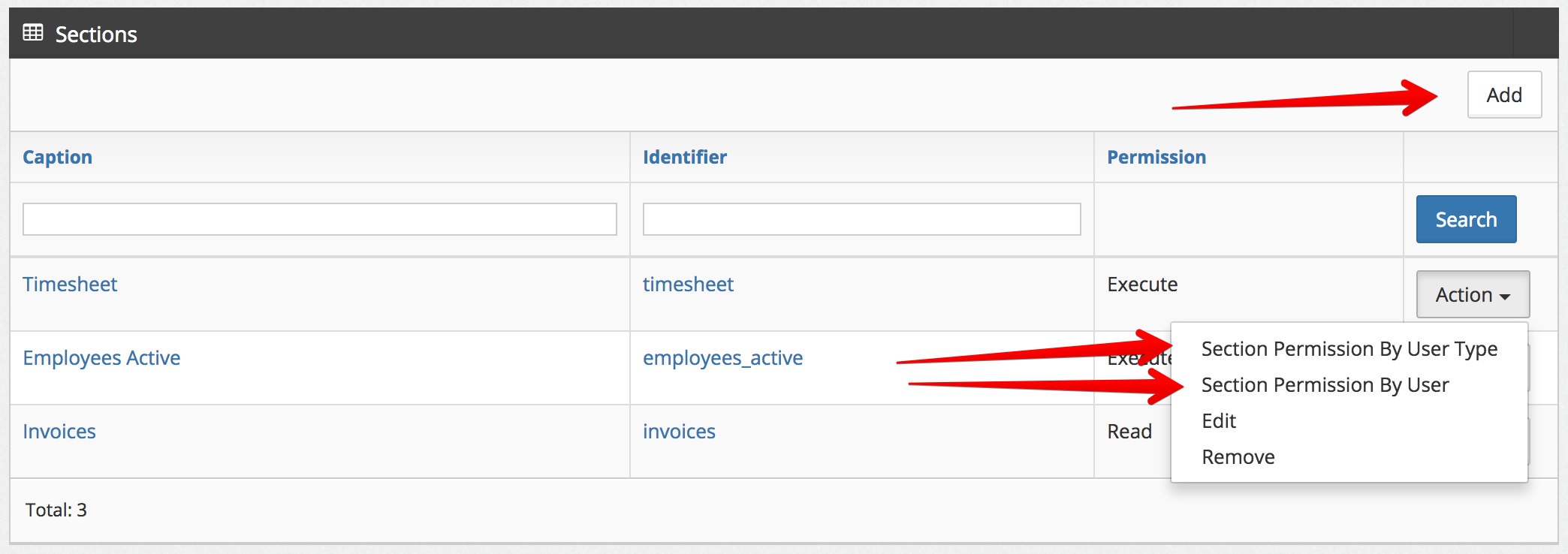
Actions
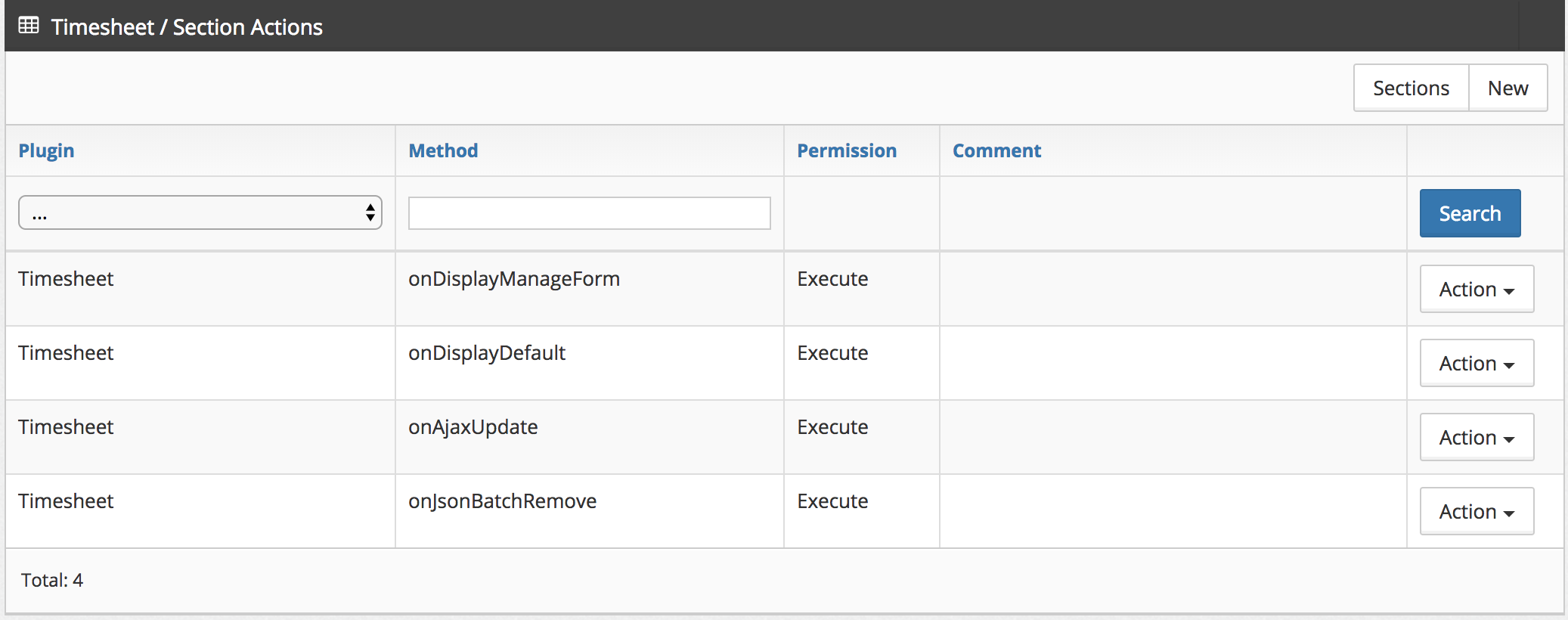
A permission section has actions - these are methods in plugins. For example, we can define a list of methods that a user can call during work in a section. If the user does not have access to the action, then when calling the method, a PermissionException will be thrown.
Actions can be described by navigating from the Sections page to a specific section or through the festi_section_actions database table.
Permission Section in DGS
To control access to DGS, you can use the permission attribute in the table which specifies the section identifier.
<table charset="UTF-8"
       name="users"
       primaryKey="id"
       defaultOrderField="id"
       defaultOrderDirection="ASC"
       rowsForPage="20"
       permission="employees_active">
       ...
</table>
Working with fields in DGS
You can define who can work with a particular field in DGS.
<field    type="price"
          name="salary"
          isnull="true"
          hide="true"
          permission="employees_offer" />
<action type="csv"
caption="<?php echo __('Export')?>"
view="top"
permission="employees_export" /> Displaying menu items
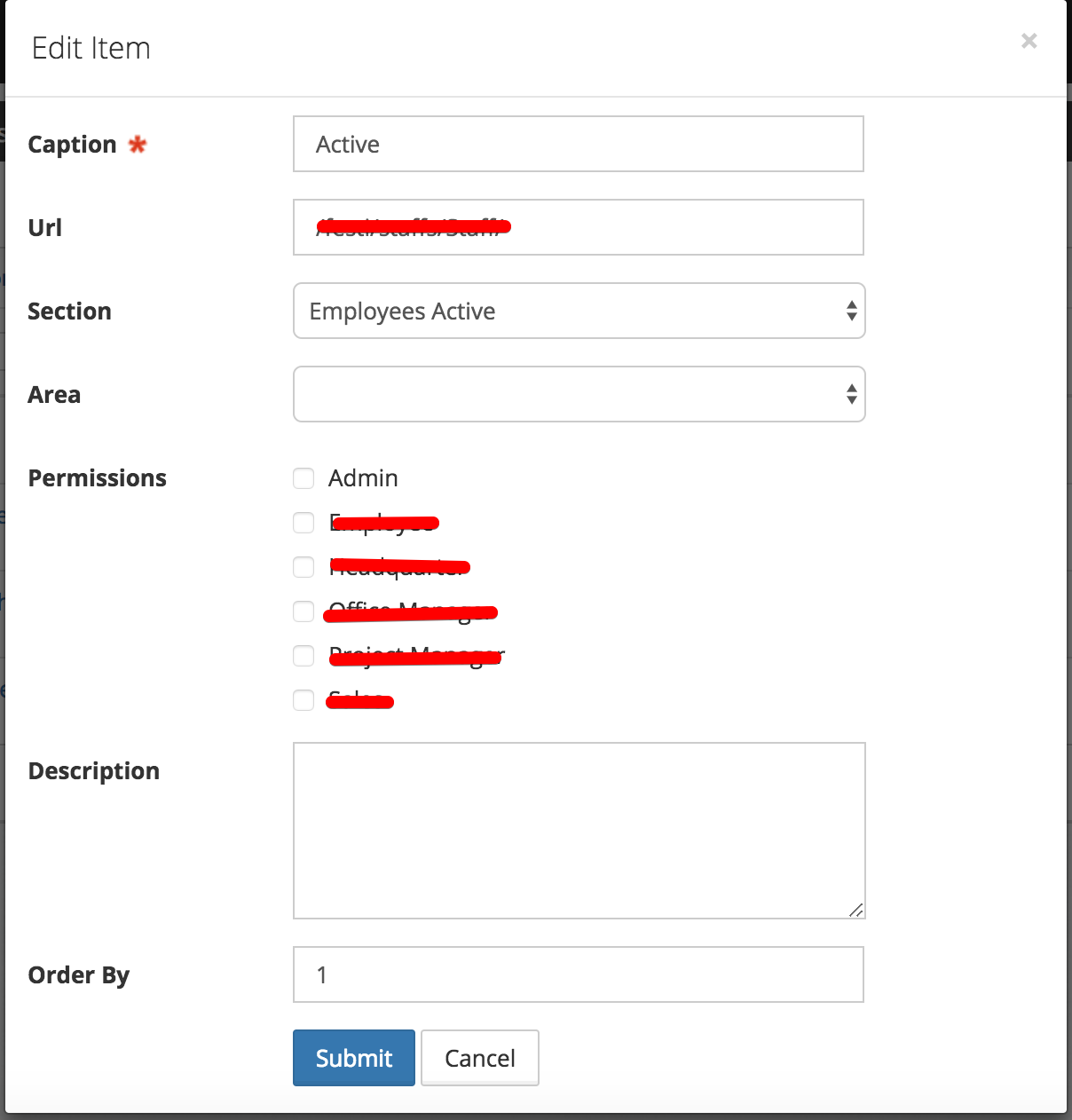
In menu management, there is a Section column. If it is specified, access will be determined not by group permissions, but by access permissions to the section.
Using sections instead of specific user group checks
When logic is restricted to a certain group of users, there is a high probability that this logic will be needed by other user groups later. To avoid constantly writing conditions like:
if (App::isAdmin()) {
    $filters = &$store->getModel()->getFilters();

    unset($filters['id_user']);
}

if (App::isAdmin() || App::isManager() || App::Mentor()) {
  ...
}
It's better to use permission sections:
$hasFullPermission = $this->core->getSystemPlugin()->hasUserPermissionToSection('full_manage_users');

if ($hasFullPermission) {
    $filters = &$store->getModel()->getSearch();
    $filters = array();
}
Permission Section Design Rule
Create one permission section per permission check. Every permission
attribute in a DGS schema and every hasUserPermissionToSection call in
PHP should map to exactly one permission section that grants exactly one
thing.
If you cannot describe a permission section in one sentence without using the words "and" or "or", split it into separate permission sections.
grades_export       — "User may export grades to CSV"              ✓
grades_manage_all   — "User may view all students' grades"         ✓
grades_teacher      — "Teacher can view, edit, and export grades"  ✗ split it
Tiered Access: Own Records vs All Records
A common requirement is that one role sees only their own records while another sees all records. The correct approach is two independent, flat permission sections — one per access level.
Define two permission sections:
| Permission section | Meaning |
|---|---|
grades_view |
User may access the Grades page |
grades_manage_all |
User may see every student's grades |
Assign both permission sections to roles that need full access. Assign
only grades_view to roles that should see their own records only.
Guard the DGS at the table level with the base permission section:
<table name="grades" primaryKey="id" permission="grades_view">Apply the scope filter in the code base on the extended permission section:
$store = $this->createStoreInstance('grades');

$systemPlugin = $this->core->getSystemPlugin();
$hasFullAccess = $systemPlugin->hasUserPermissionToSection('grades_manage_all');

if (!$hasFullAccess) {
    $search = &$store->getModel()->getSearch();
    $search['id_user'] = $this->core->user->getID();
}
Guard manager-only fields and actions with the extended permission section:
<action type="remove" caption="Delete" permission="grades_manage_all" />Each permission section has one purpose. grades_manage_all does not
imply grades_view — they are independent. Adding a third access level
later (e.g. district-wide view) requires only a new flat permission
section and a new if branch.